Features Getting started Pricing FAQ Bulgarian
For daily grooming salon work

Schedule, client profiles, and online appointment requests

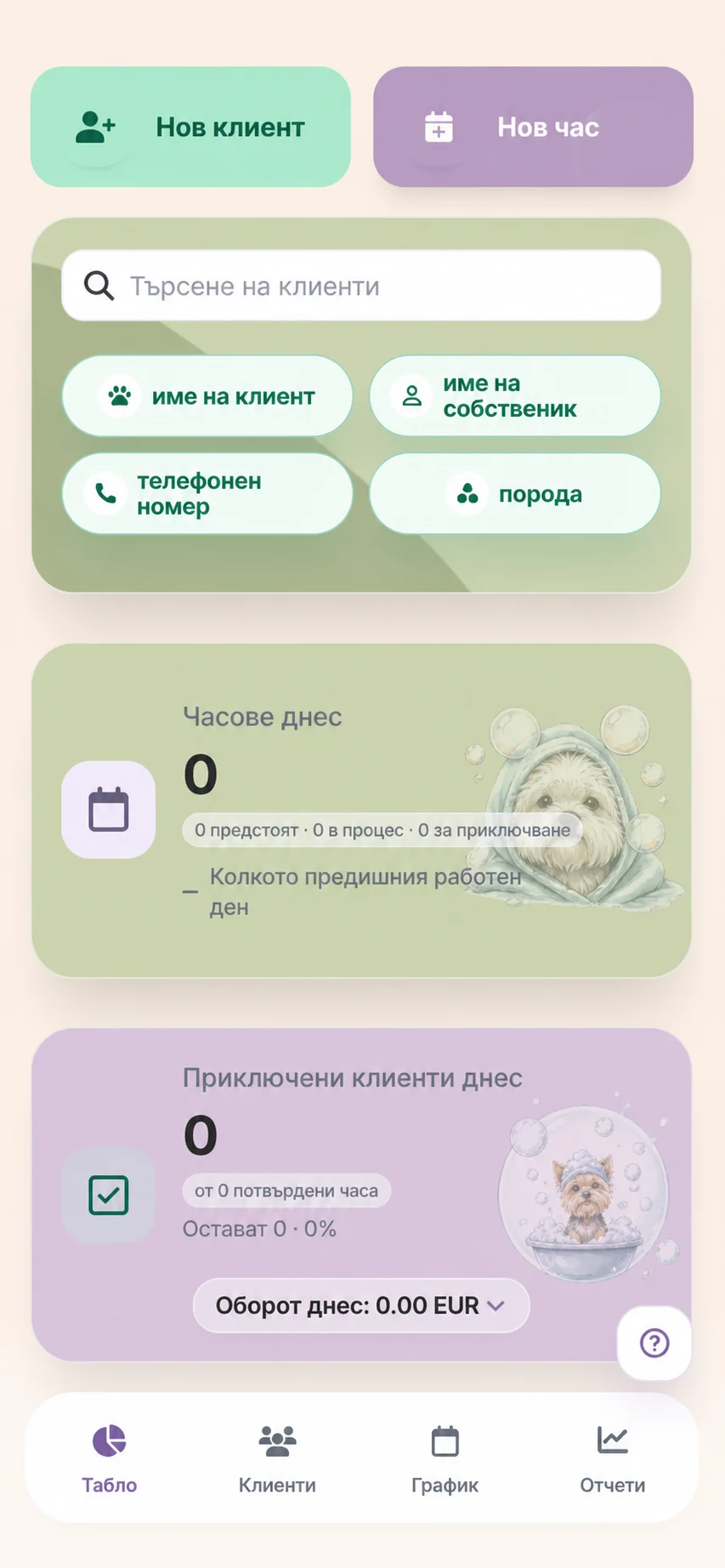
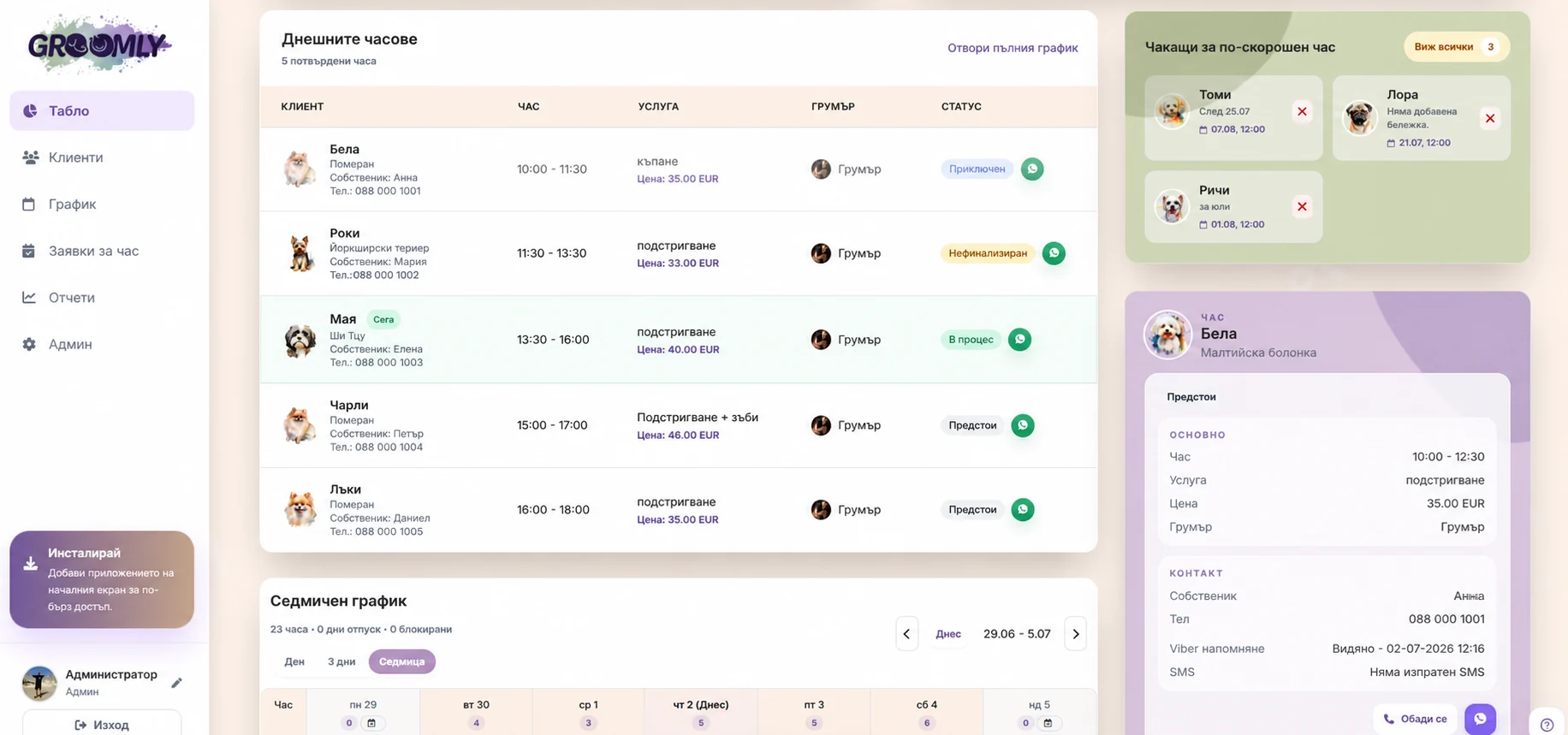
Groomly brings appointments, clients, online requests, notifications, and reports together in one place, so the salon can work in a more organized way.

Suitable for
independent groomerssmall salonssalons with a teamsalons with online booking
1 month
free start
24/7
client appointment requests
3 plans
for different salon sizes
up to 4 days
to prepare access
Why Groomly

Notebook, schedule, and clients in one place

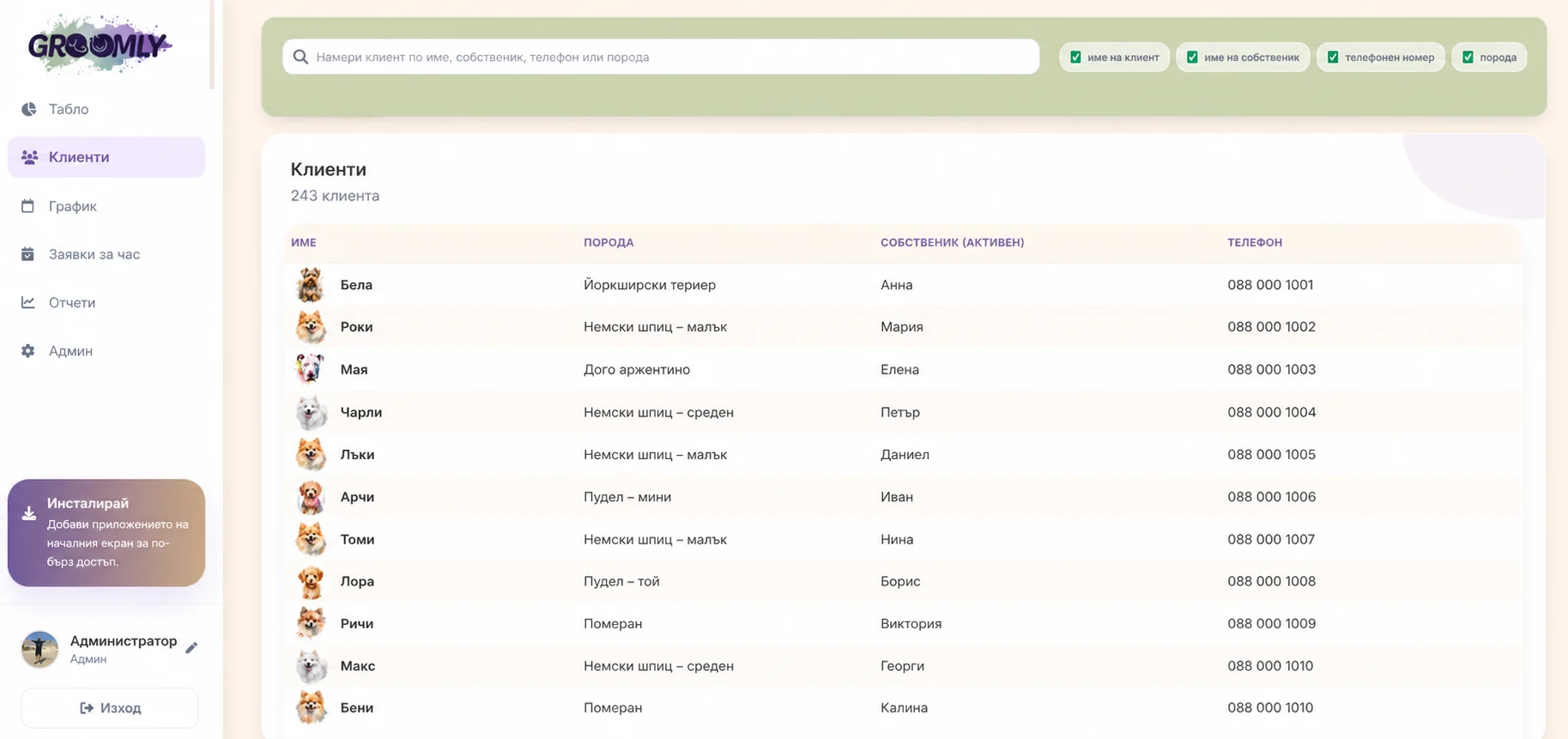
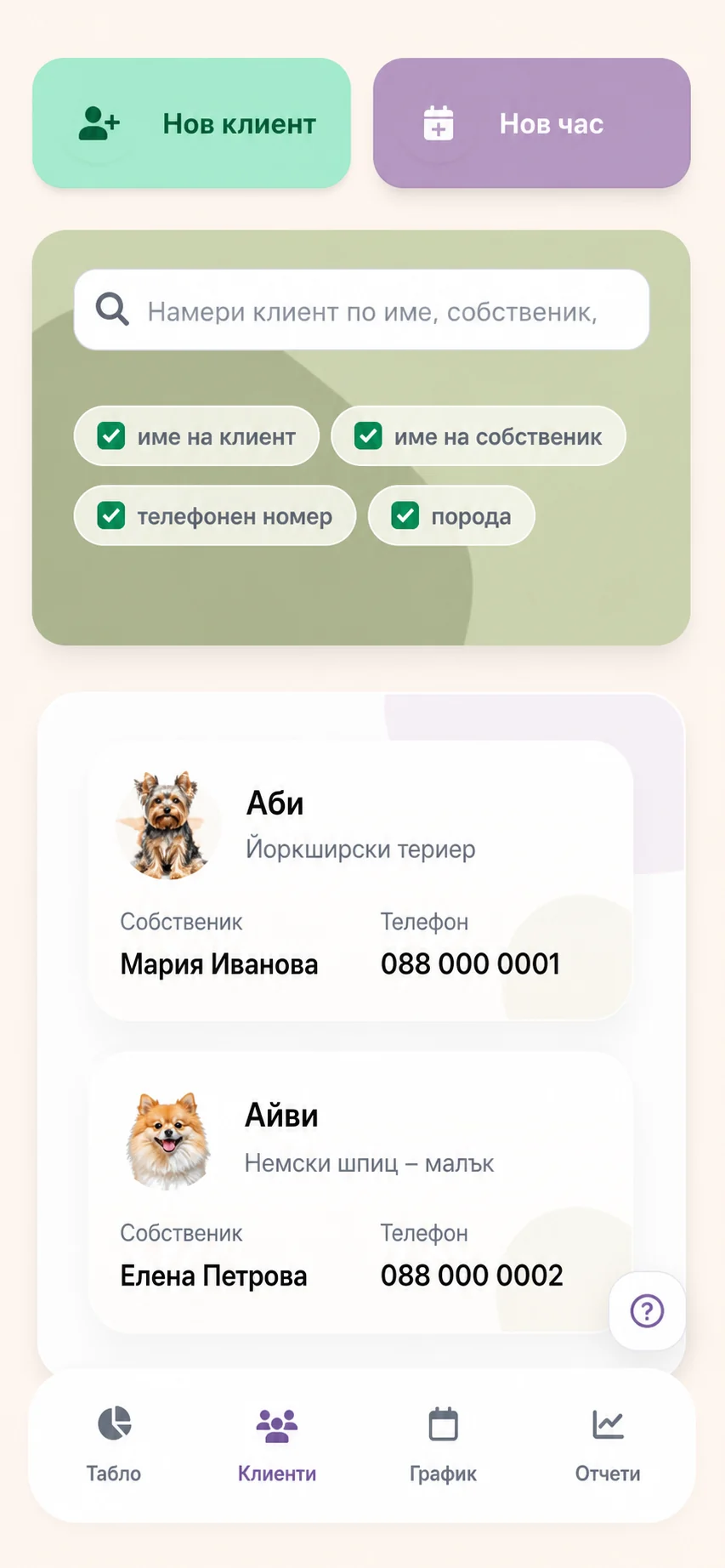
Groomly helps you organize appointments, client profiles, contacts, and visit history so the team does not search for details in several places.

Easier access to information

When a client asks about an appointment, you see the schedule and client profile without digging through notebooks, chats, and old notes.

Important details stay in the profile

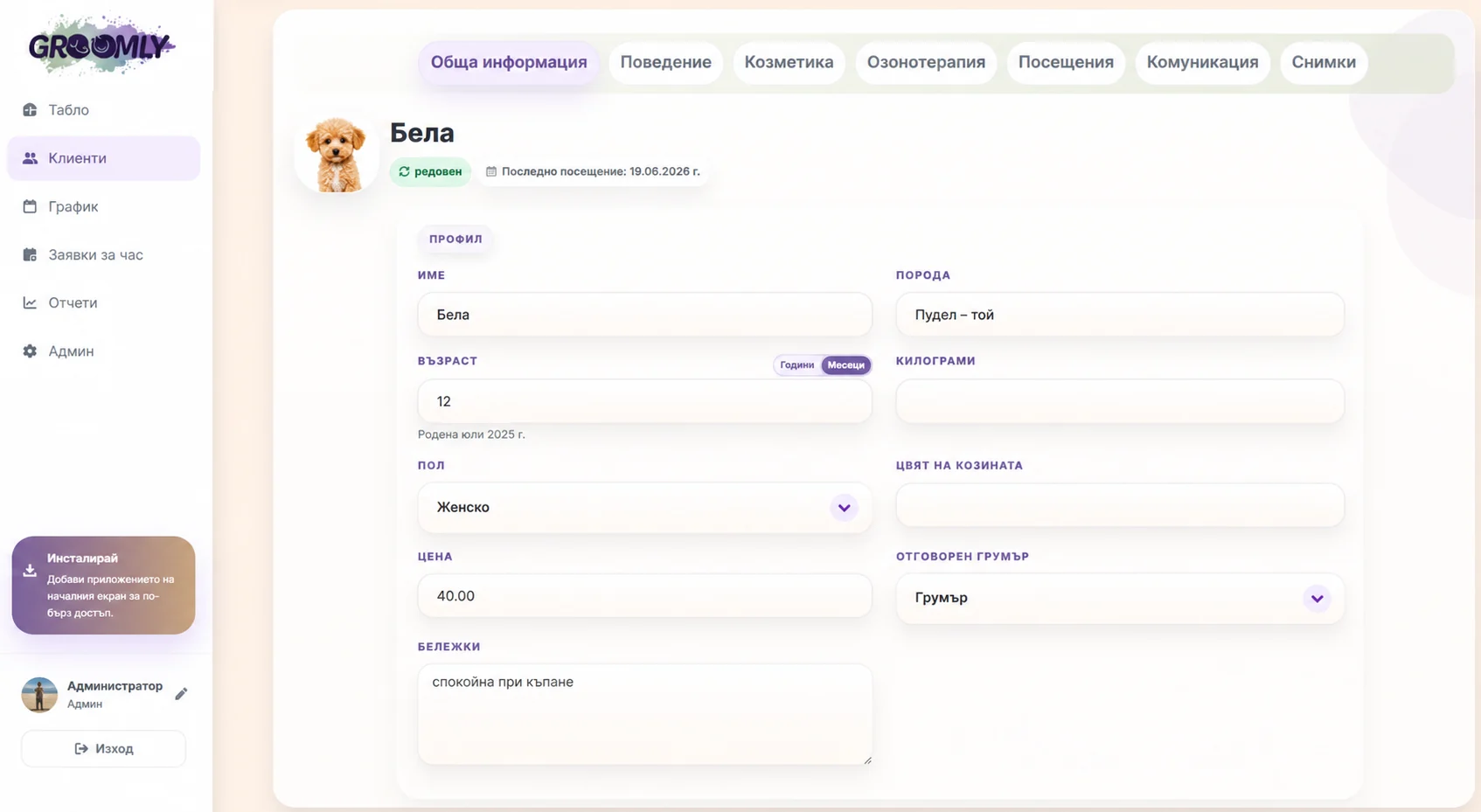
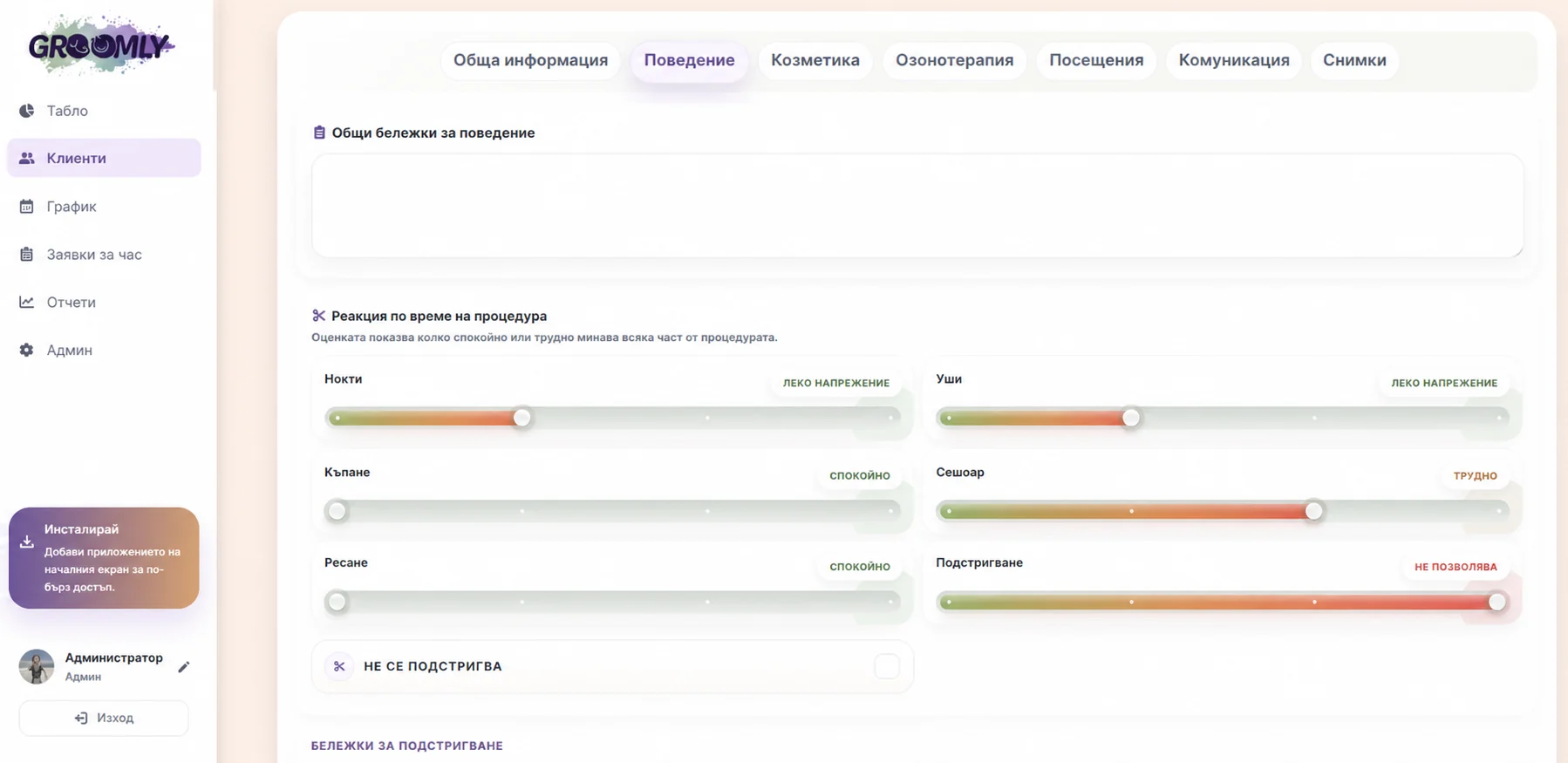
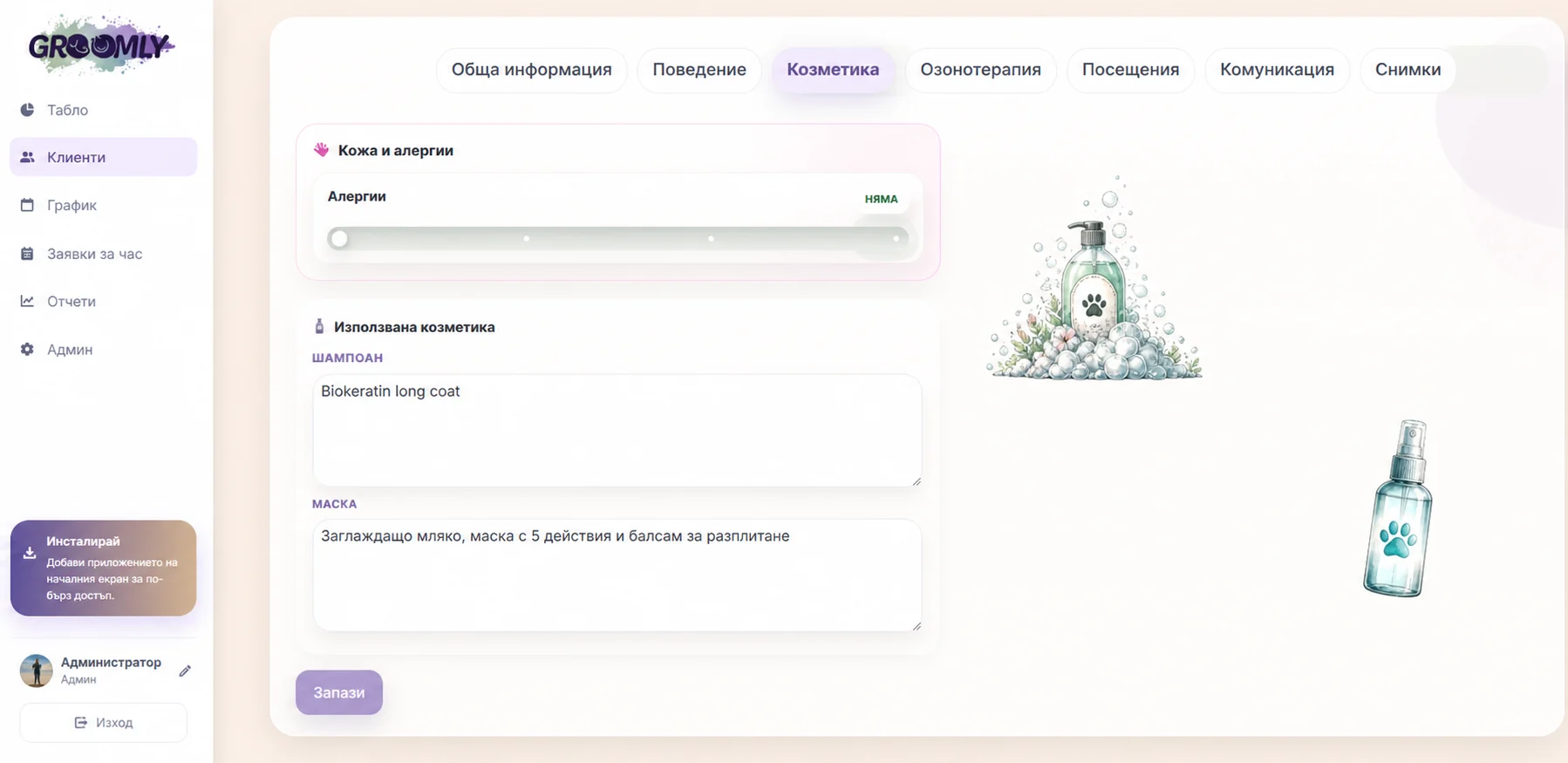
Services, prices, photos, special notes, behavior, cosmetics, therapies, and previous visits stay in the client profile, ready when you need them.

Fewer forgotten appointments

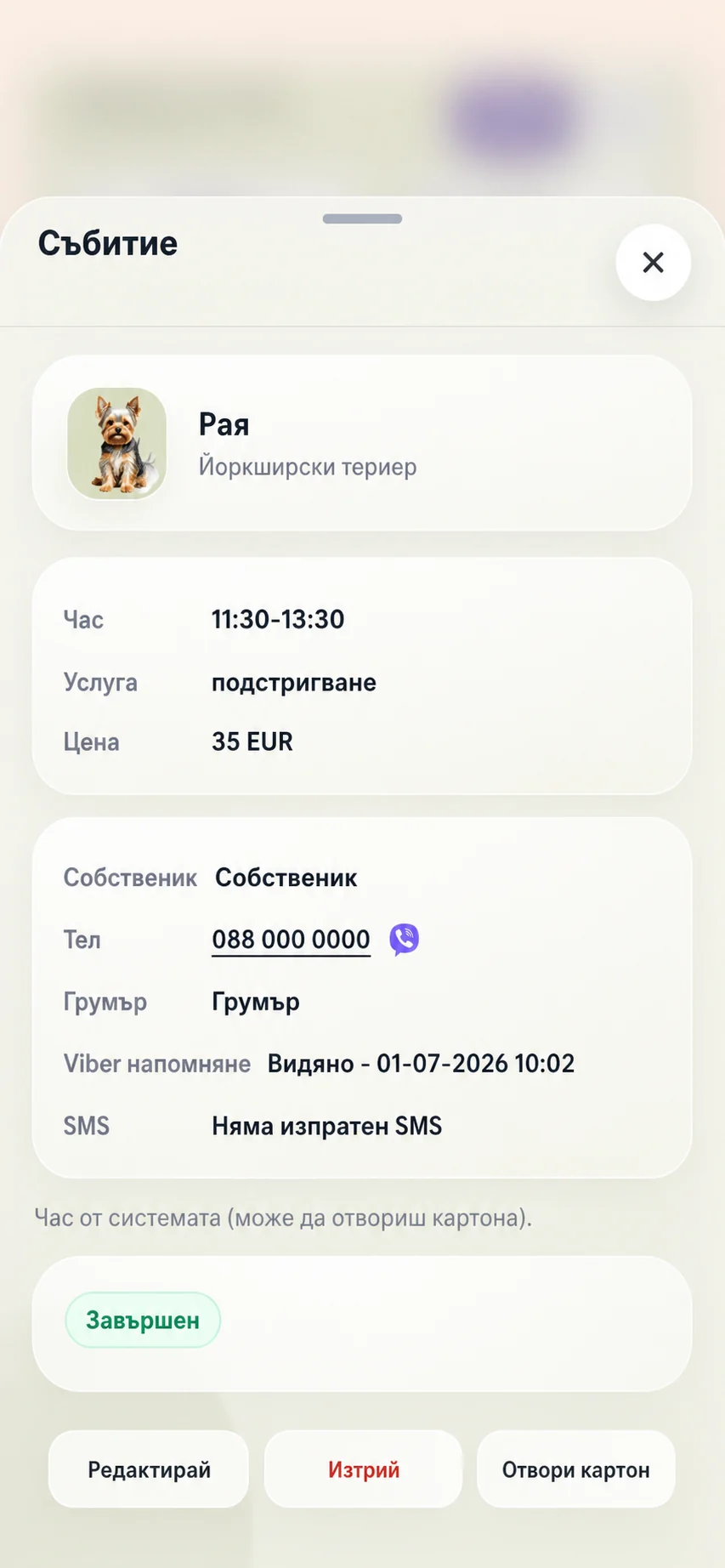
Clients receive confirmation and reminder messages, and Groomly shows whether the notification was sent, delivered, or seen.

Features

Built for daily salon work

Groomly supports the real flow in a grooming salon, from the first appointment request to the completed visit.

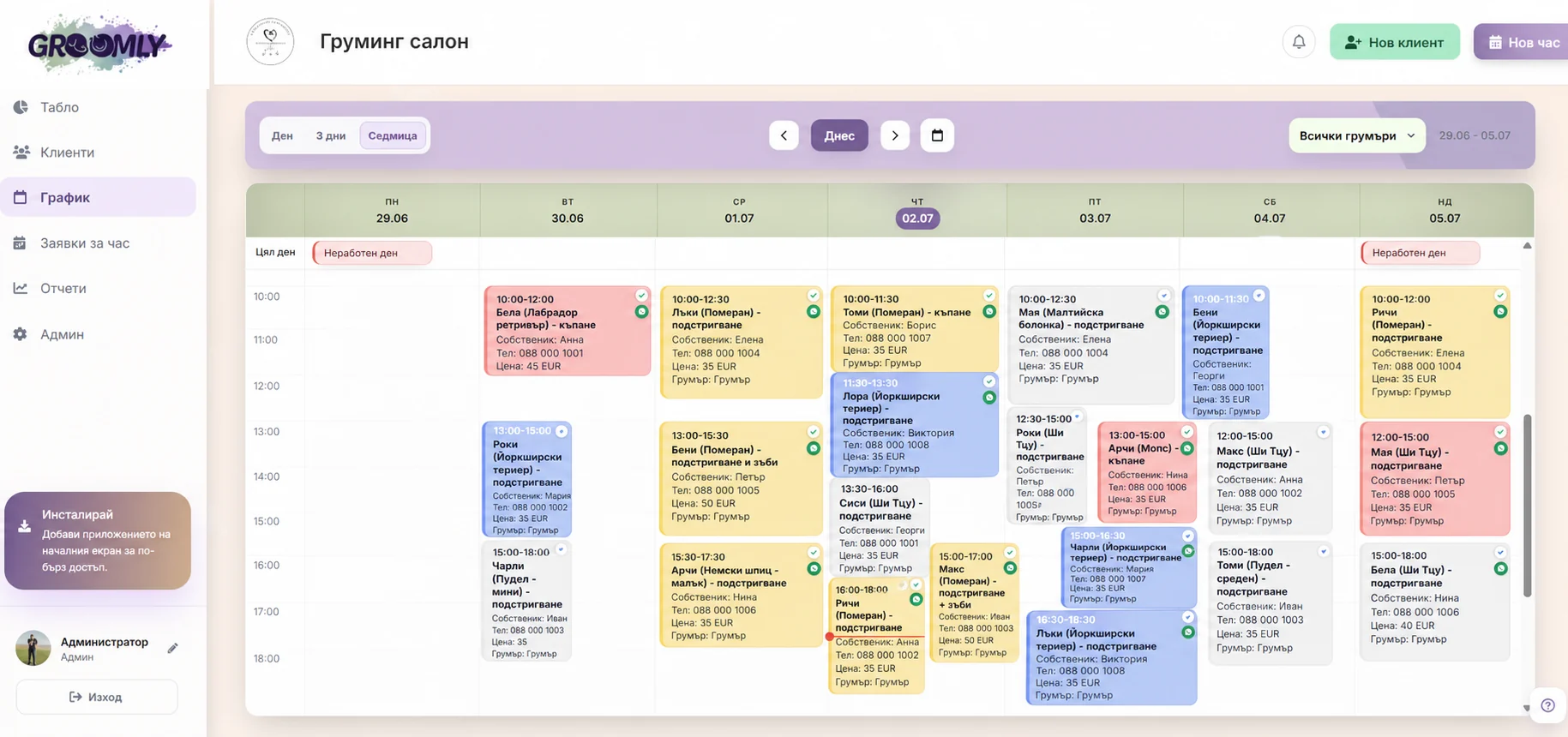
Schedule

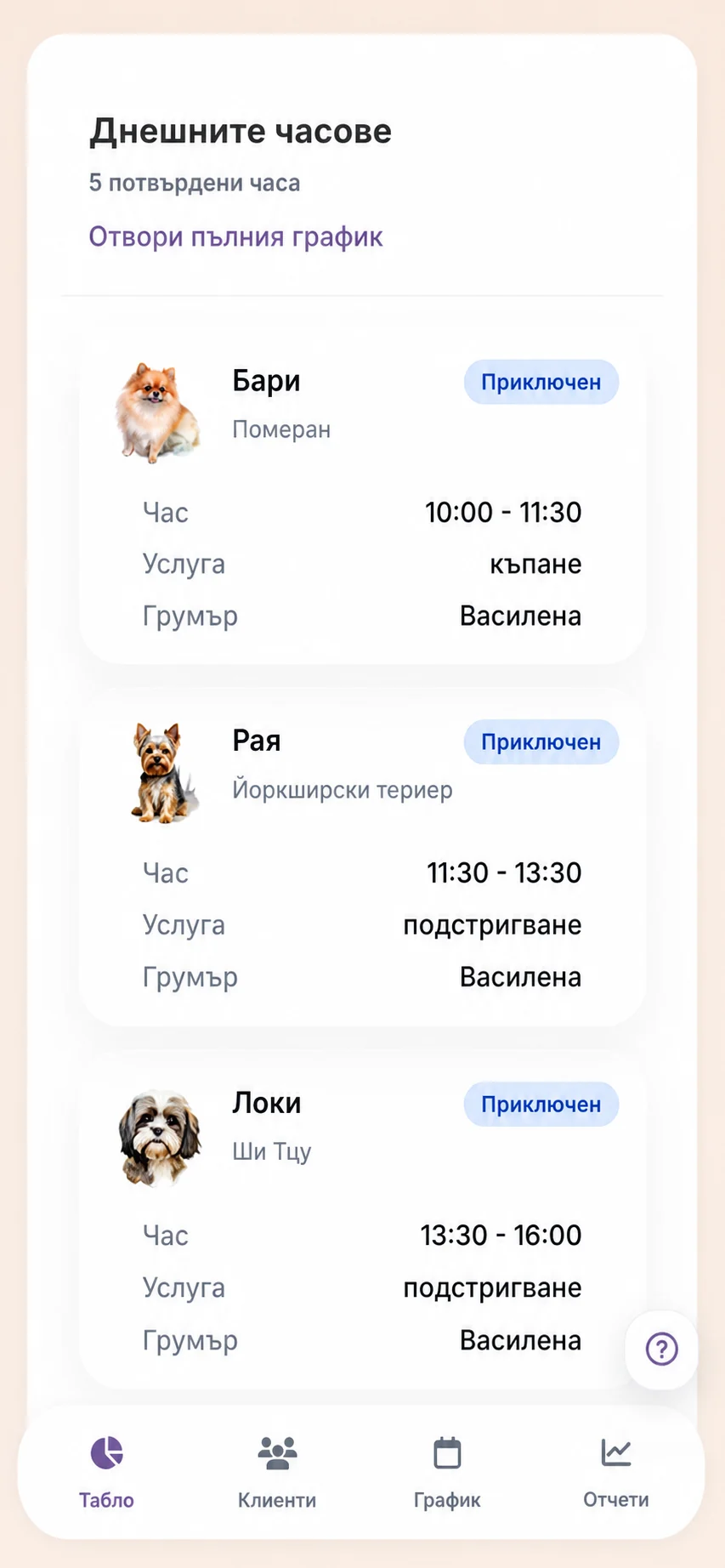
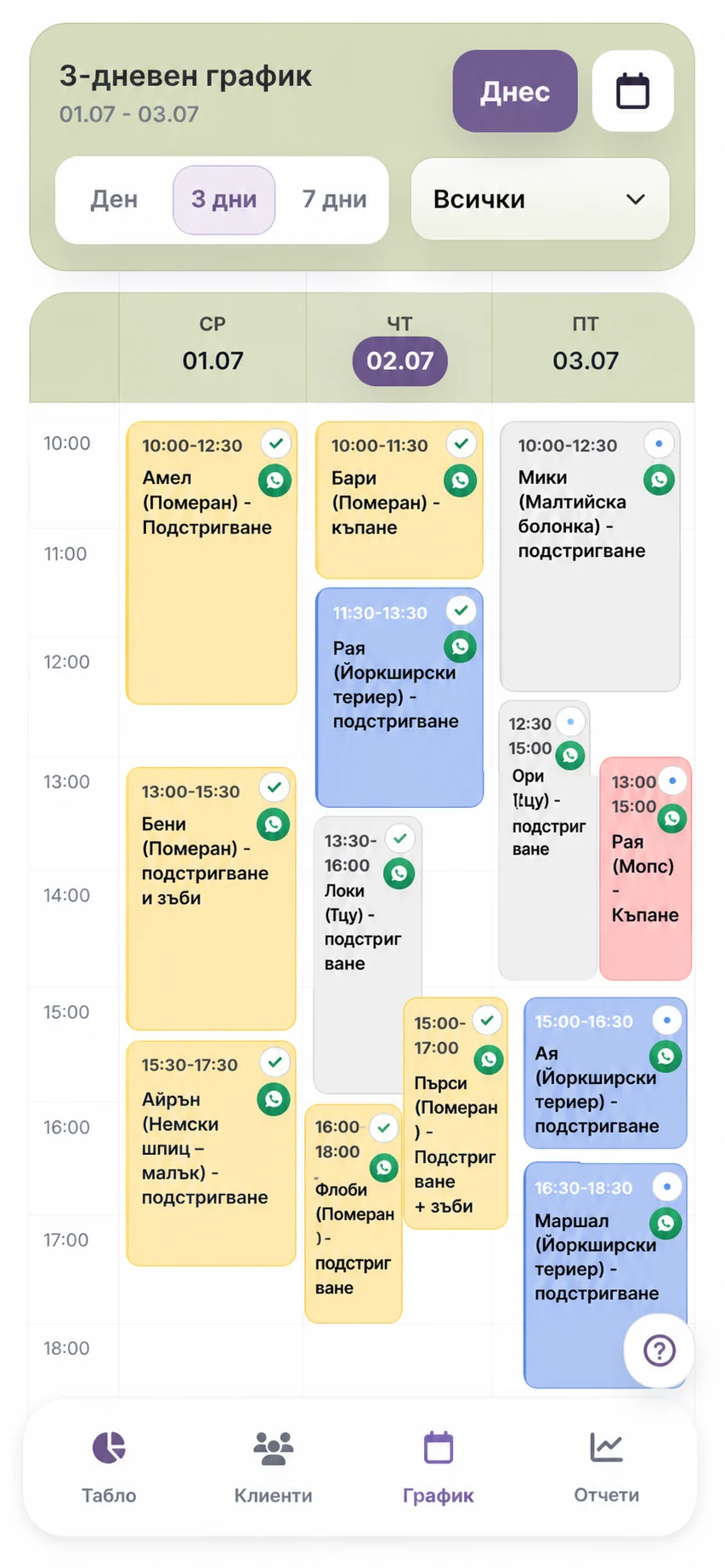
See the day, three days, or the full week, add a new appointment, and open the client profile directly from the calendar when needed.

Client profile

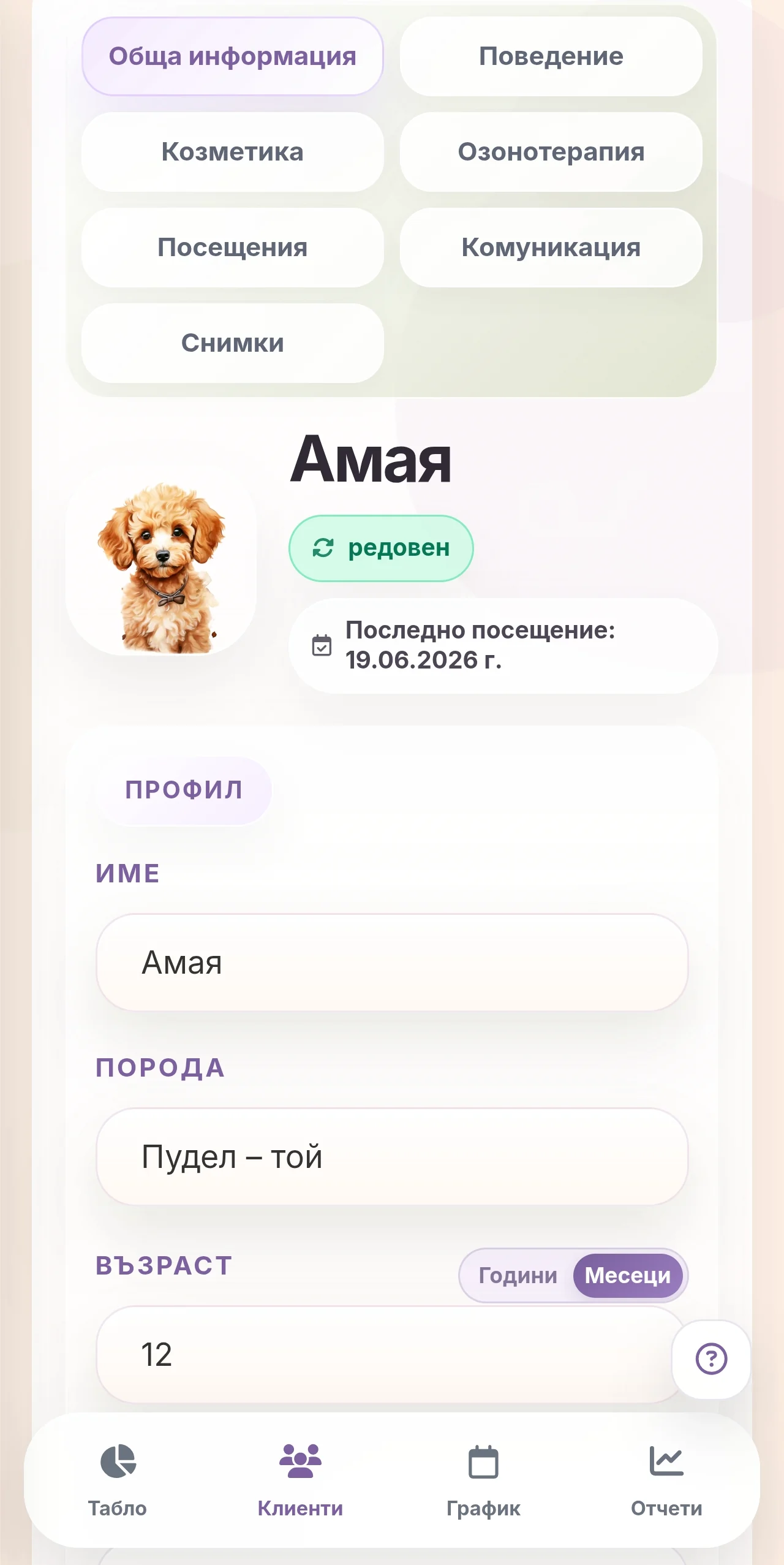
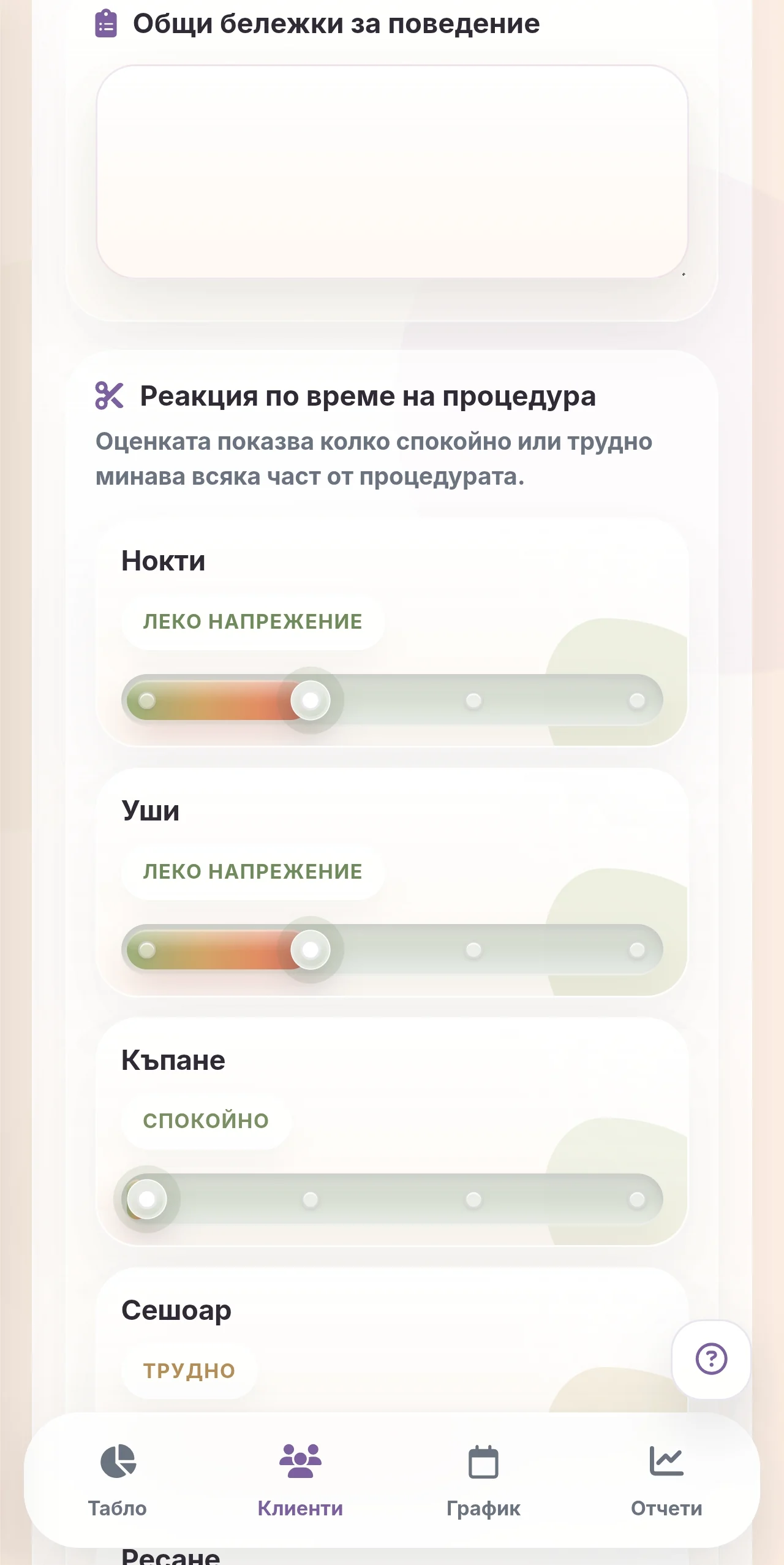
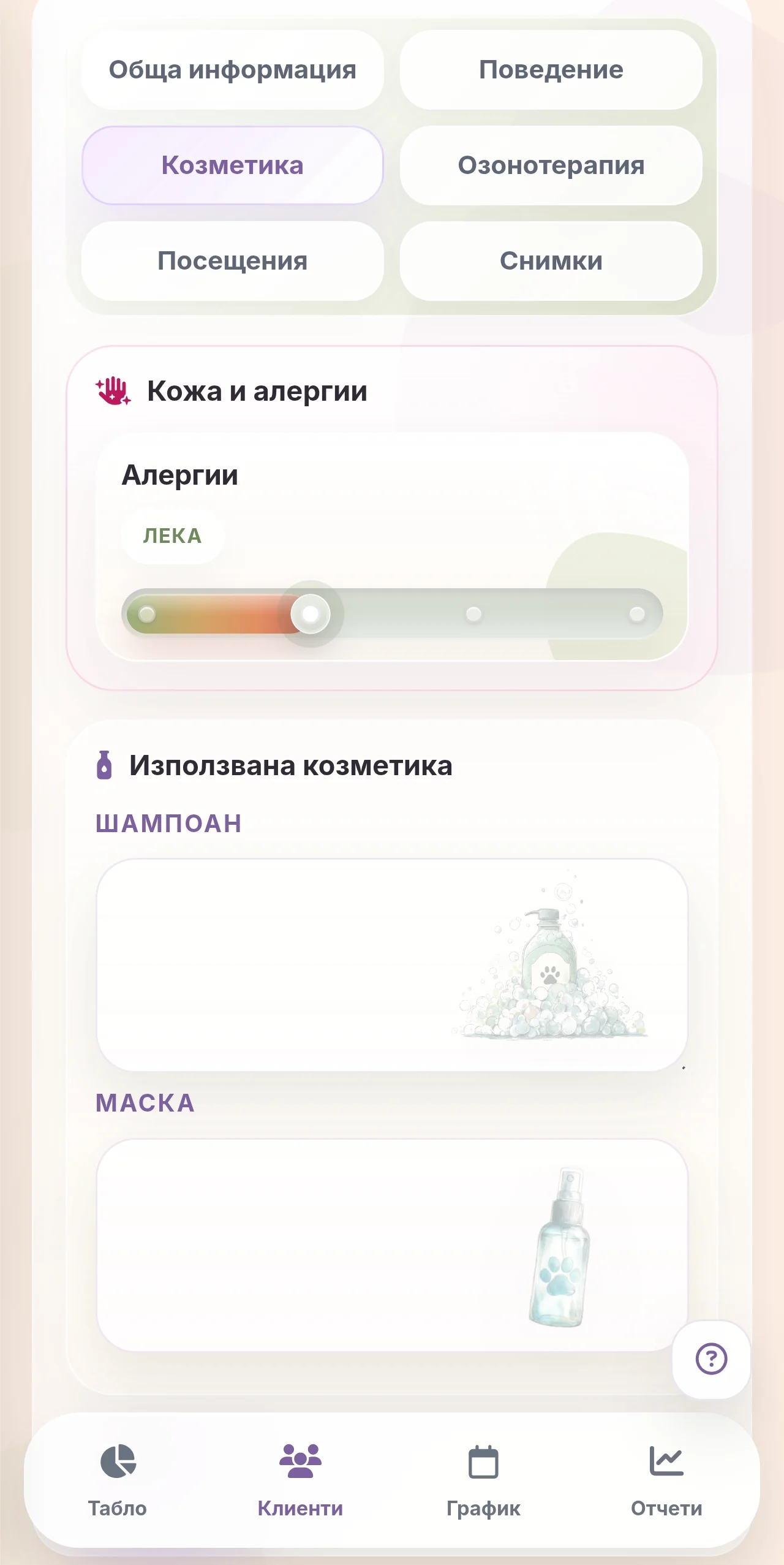
See owner contacts, breed, coat, age, visit history, photos, notes, behavior during grooming, allergies, cosmetics used, therapies, and important details.

Online requests

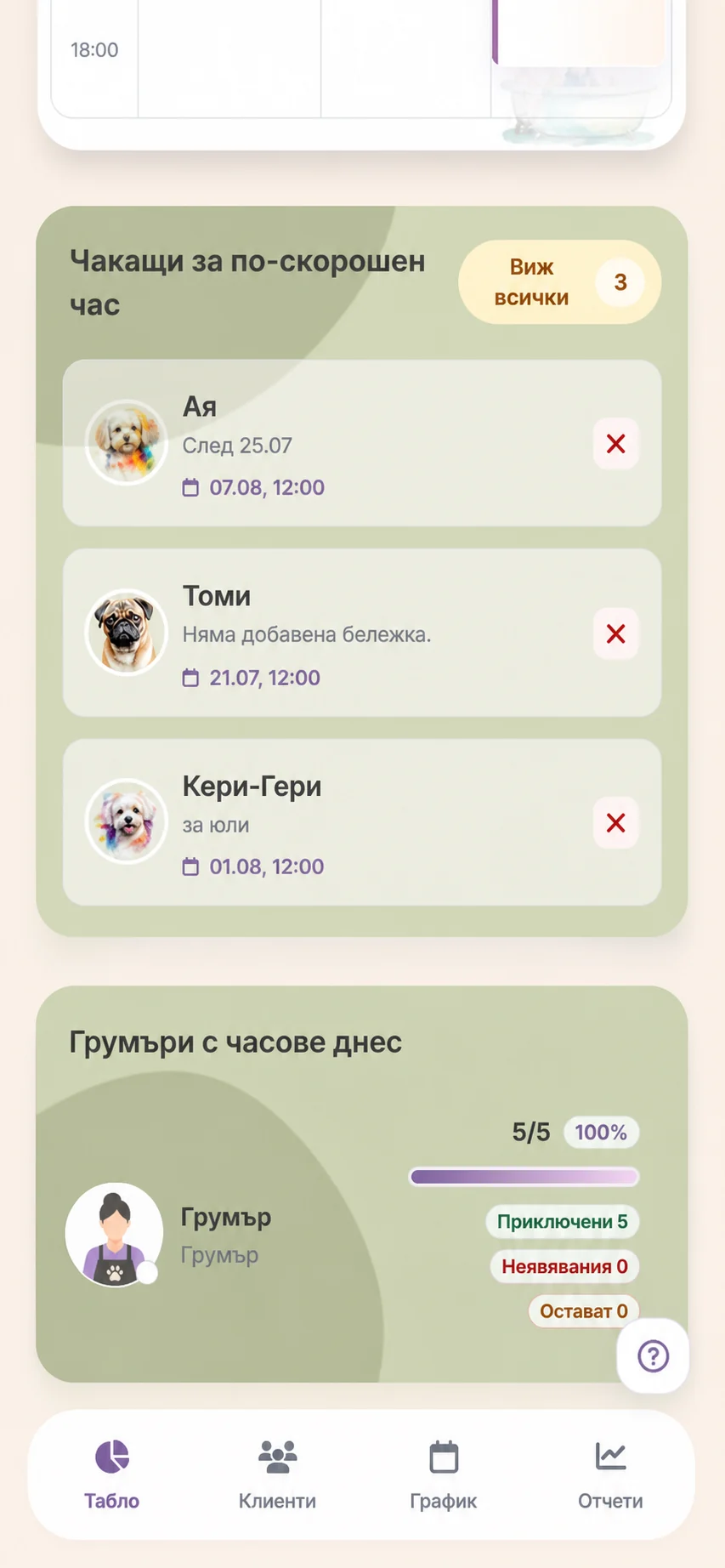
Clients request appointments through your page, and you confirm, change, or reject them according to the schedule.

Google Calendar

Connect Google Calendar with one click. Groomly appointments can appear in Google Calendar, while Google events can be shown in the schedule and transferred as Groomly appointments.

Notifications

Automatic Viber reminders by plan. If the Viber notification is not delivered, you can send an SMS from Groomly with one click.

Reports

Track visits, revenue, expenses, services, clients, groomers, and trends for the selected period.

Team and access

Choose who works in Groomly, who appears in the schedule, who accepts appointments, and when someone is on leave.

How it works

From a Groomly request to first login

1

Send a request

Fill in a short form with salon details and the name you want to use for your Groomly page.

2

We prepare your page

We prepare Groomly for your salon and send the first login details.

3

Fill in the basic information

Add the salon name, contacts, working hours, and team, then enable online requests, notifications, or Google as needed.

How it works together

From request to report, without scattered details

The online request, schedule appointment, client profile, notifications, and reports stay connected, so important details follow the work from the first request to the final report.

Schedule
Each appointment shows the client, service, groomer, and notification status. When you complete it or mark a no-show, the details feed the profile and reports.
Client profile
After each appointment, the history stays in the profile: visits, photos, notes, and communication. At the next appointment, you can see what was done before and what matters for the client.
Online requests
A request does not become an appointment automatically. The selected time is kept while you review it; when confirmed, Groomly creates or links a profile and a real appointment, while rejections or earlier-appointment requests stay in the history.
Google Calendar
The Google connection helps you avoid keeping two separate calendars. Groomly appointments sync to Google, while external Google events can appear in the schedule and become Groomly appointments when needed.
Notifications
For each request or appointment, you can see the sent messages and their status: sent, delivered, seen, or problem. If Viber does not reach the client successfully, Groomly shows an option to send an SMS.
Reports
When you complete a visit, mark a no-show, or add an expense, it appears in the reports for the period. Reports are based on finished work, not just planned appointments.
Team
Groomly takes into account who is a groomer, who accepts online requests, and when someone is on leave. Suggested appointment times follow the real team, not only the salon working hours.
Pricing

A plan for your salon size

The core Groomly workflow is included in every plan. The difference is in team size, client profile limits, and included Viber/SMS notifications.

Monthly
Yearly Save 17%
Solo
15€
per month

For an independent groomer or a small salon.

1 team member
Up to 500 clients
Up to 200 Viber and 40 SMS messages monthly
Online requests
Google synchronization
Try Groomly
Popular
Studio
25€
per month

For a salon with a team, an active schedule, and more clients.

Up to 2 team members
Up to 1000 clients
Up to 300 Viber and 50 SMS messages monthly
Online requests
Google synchronization
Try Groomly
Pro
40€
per month

For larger salons, more team members, and more client notifications.

Up to 5 team members
Up to 2000 clients
Up to 500 Viber and 100 SMS messages monthly
Online requests
Google synchronization
Try Groomly
FAQ

Common questions

Free access is 1 month and starts on the day your Groomly access is activated. During that time you can set up the basics and try the schedule, client profiles, and online requests.

We review the salon details, prepare your Groomly access, and send the first login details. This usually takes up to 4 days.

No. Groomly works in a browser on a computer, tablet, or phone. On a phone, it can also be added as a home screen icon so it opens faster like an app.

Clients request an appointment through your Groomly page, but the request does not become an appointment automatically. The selected time is kept while you review it, and you decide whether to confirm, change, reject, or mark that the client is waiting for an earlier appointment.

The booking flow uses the rules for service, breed, coat type, weight, add-ons, and details such as matting to calculate the needed time and estimated price. Then it looks for an available time based on working hours, active groomers, time off, blocked periods, and already booked appointments.

Depending on the plan and settings, Groomly can send Viber confirmations and automatic appointment reminders. In the system you can see whether a message was sent, delivered, seen, or has a problem. If Viber does not reach the client successfully, an SMS option may appear.

Yes, depending on the plan. Groomly remains the main place for appointments, but appointments can sync to Google Calendar. External Google events can also appear in the schedule and be transferred as Groomly appointments when needed.

Every plan includes the core workflow with schedule, client profiles, visits, online requests, and reports. The difference is in team size, client profile limits, and included Viber/SMS notifications.

Yes. You can add team members, set who has access, who is a groomer, who appears in the schedule, and who accepts online requests. Time off and blocked periods are taken into account when appointment times are suggested.

Groomly is an online system, which means the information is not kept only on one phone or computer. Everything is stored securely online and can be opened after sign-in from the devices you use for work. Each salon has its own separate space in the system, where client profiles, visits, photos, notes, notifications, and reports are stored.
1 month free access

Organize the schedule, clients
and daily salon work

Send a request and we will activate Groomly for your salon, so you can try it in real daily work.